Practical Android storage cleanup with focused scanning tools
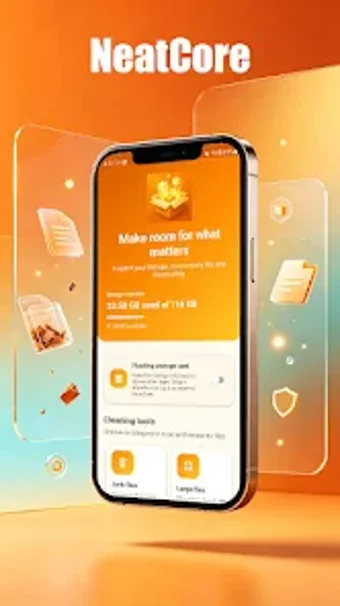
Try NeatCore by yesilikserap to reclaim storage and tidy Android devices. The app scans internal and external storage to locate junk, duplicates, and oversized media, offering a single place to review candidates for removal. It combines a junk file scanner, duplicate finder, large-file locator, APK manager and media organizer within a focused interface. The tool suits Android users who frequently run out of space and want a simple, automated way to identify clutter.
What does the app do?
The app is a storage housekeeping tool that scans internal and external Android storage to locate junk, duplicate items, and oversized media. It consolidates these scans into a single review workflow and exposes specific modules for targeted cleanup:
- Junk File Scanner for cache and temporary files
- Duplicate Finder for photos, videos, and documents
- Large File identification and APK Manager for installation packages
This arrangement supports quick, manual cleanup on devices with limited free space.
Does it slow down your system during a scan?
The app uses a lightweight design that does not consume significant system resources, so it is suitable for smartphones and tablets. Scans concentrate on storage locations rather than running extensive persistent background services, which reduces active CPU and memory pressure during typical operations. In addition, the tool exposes large items and duplicates for targeted action instead of processing every file at once.
Is it safe to remove files with the app?
The app presents identified files for user review and does not perform automatic deletions by default, reducing the risk of unintended removals. Its Junk File Scanner calls out system cache and temporary files that can be deleted safely, while the APK Manager isolates installation packages for manual handling. Users must confirm any deletion from the app's lists, and media items are grouped to help selective pruning.
Do I need technical knowledge to use the app?
The tool targets non-technical users with a straightforward UI and simple workflows, making basic cleanup possible without configuration. The developer's portfolio of similar utilities follows direct, functional interfaces that favor clarity over deep customization. Nevertheless, power users who want granular scheduling or advanced filters may find the available controls limited, since the app emphasizes quick identification and review rather than advanced tuning.
A pragmatic option for focused storage reclamation, with one main caveat
The app is a pragmatic option for Android users who need focused storage reclamation, given its concentrated scanning modules and lightweight design. The primary limitation is a limited public track record for user reviews, leaving long-term reliability less documented. Practical tip: back up any APKs before removing them, and run intensive scans when the device is idle to minimise disruption.